
Blok
Note-taking for agentic work.
Download for macOSFree to try for 14 days · Version 0.7.14 · 5.2 MB · macOS 26 or later, Apple silicon
Or with Homebrew: brew install --cask vantonii/tap/blok
What's new in 0.7.14 · Apply for a licence · Releases on GitHub
What it does
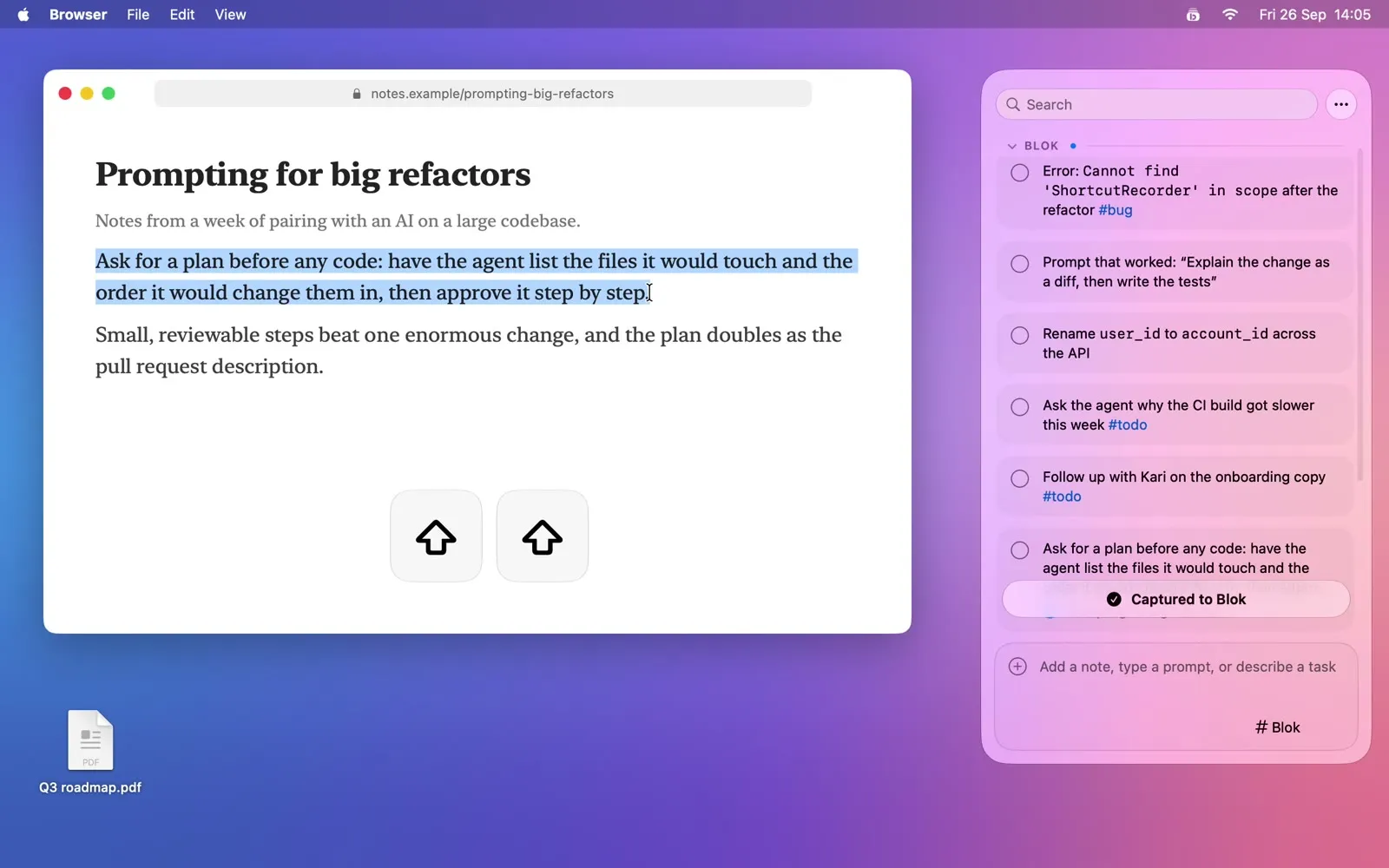
Select anywhere, tap ⇧ twice
Select text in any app and tap the left ⇧ twice: it's saved, with the page it came from. Tap the right ⇧ twice, or ⌘⇧Space, and the panel slides in.
The panel
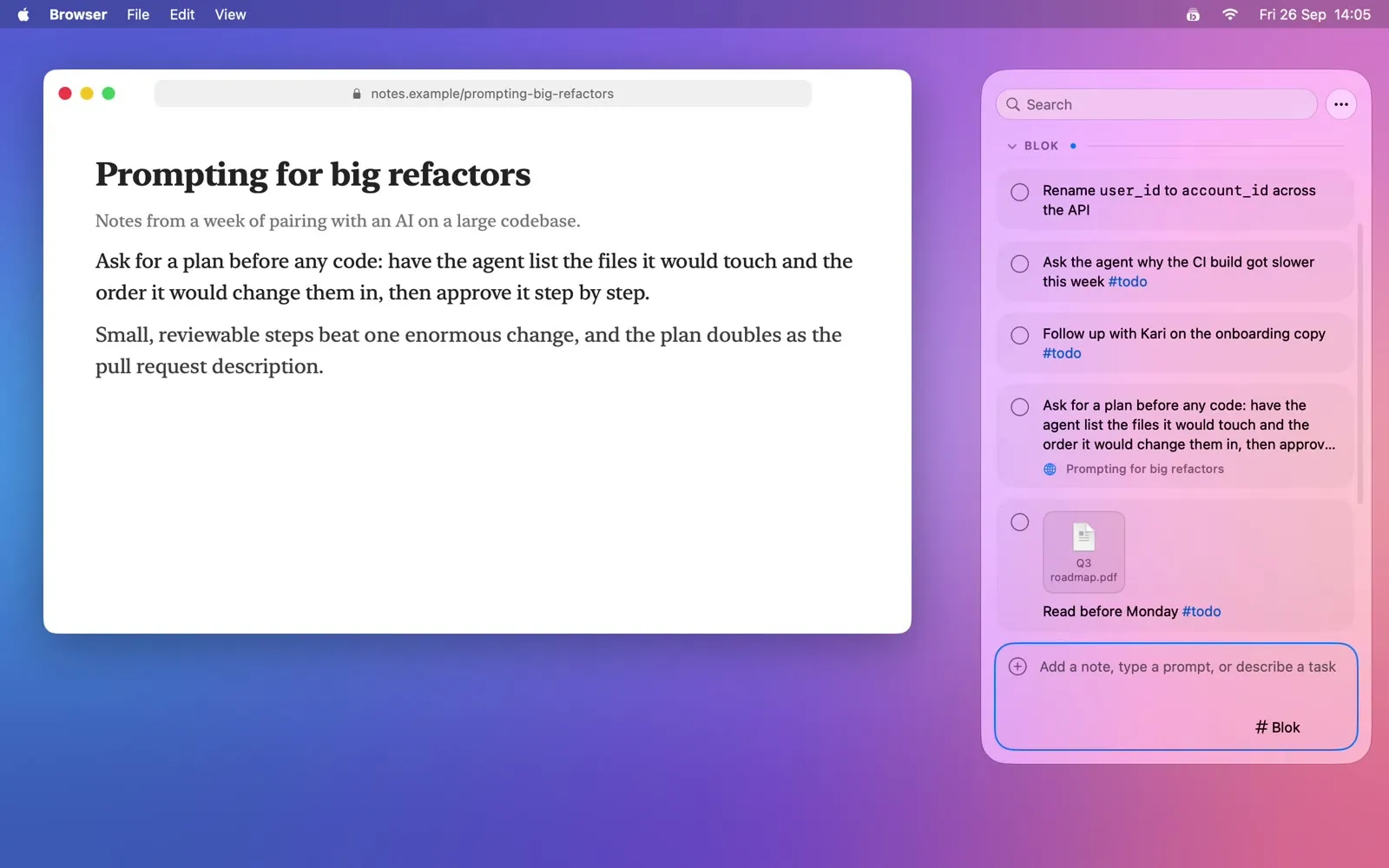
Notes in sections, with #tags, reminders, screenshots and files. Check things off as you go, and copy a note, or a whole section, back into your next prompt.
Your AI agent works through it
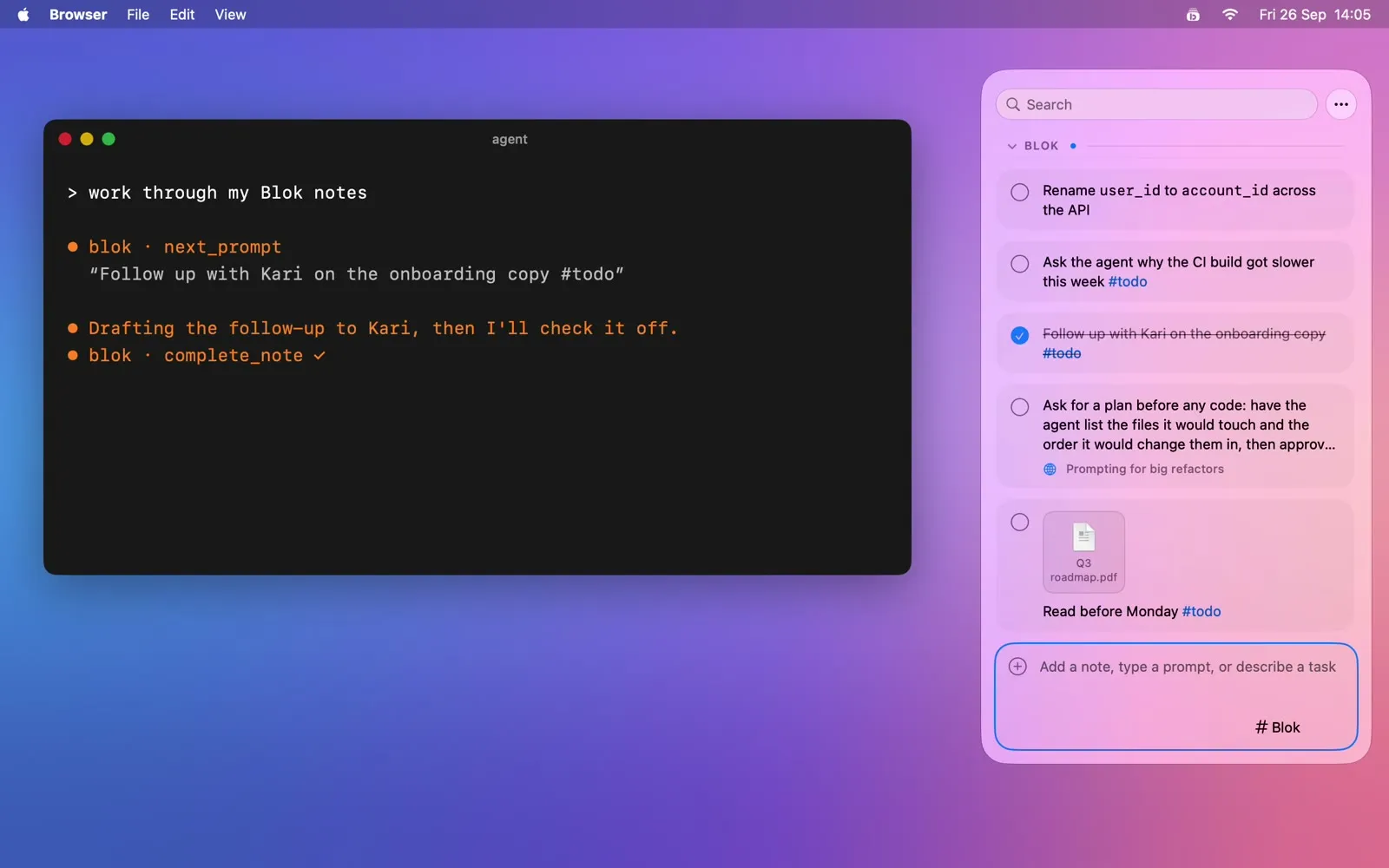
Blok comes with an MCP server: any AI agent that speaks MCP can work through a section one note at a time and check each off. A note's History says what the agent changed.
Your Macs, in step
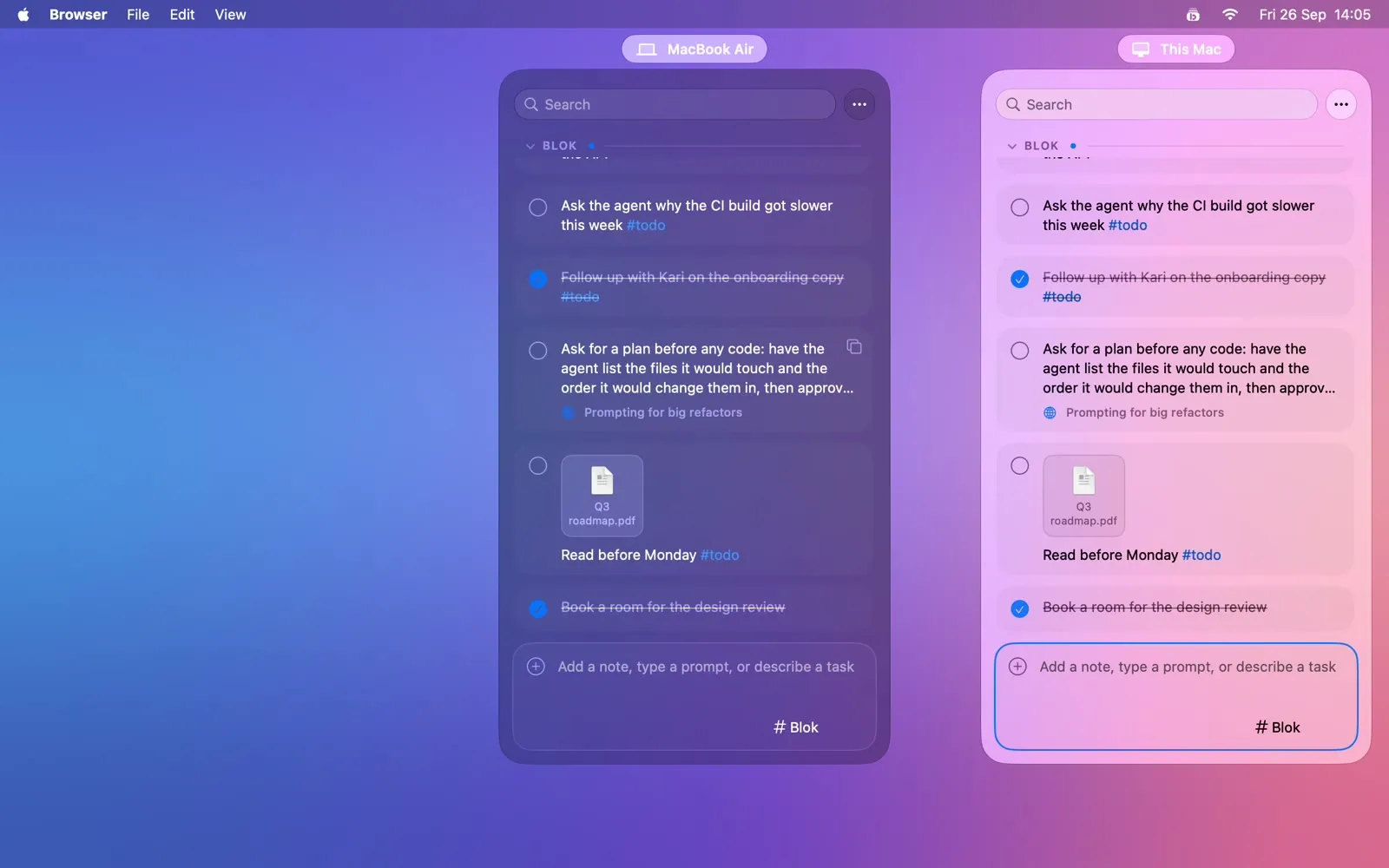
Turn on sync and pick a folder your cloud app already syncs. Notes, sections and files stay in step between your Macs, encrypted, with no account and no server.
Private by design
No account. Everything stays on your Mac: one library, encrypted if you like, with the recovery key yours. Sync is off until you turn it on, and then everything in the cloud folder is sealed. Private notes stay blurred until you unlock them, and AI agents never get their text. Blok's only request to the internet is the daily update check, and this site has no analytics either.
Installing
- Download Blok, open the zip, and drag Blok to Applications. Or, with Homebrew:
brew install --cask vantonii/tap/blok - Open it. Blok is notarized by Apple, so macOS only asks once whether to open an app from the internet: click Open.
- Allow Accessibility when Blok asks: that's how it reads the selection when you tap ⇧ twice.
- That's it. Updates install themselves (Settings ▸ General ▸ Updates).
What's new in 0.7.14
14 October 2026
- Hide empty sections
- Dragging a note to the top or bottom of the list scrolls it
- A selected long note opens sooner
And 4 fixes. Full release notes · Every release
Questions
Why does Blok need Accessibility?
For two things: to notice your ⇧ taps in any app, and to read the text you selected when you capture it. macOS asks once, the first time.
What's sent where?
Nothing, unless you turn on sync: then your library, encrypted, goes to the cloud folder you picked, through your own cloud app. Once a day Blok checks its releases on GitHub for an update. The licence key is checked on your Mac, offline. If you connect an AI agent, what it reads from Blok becomes part of your conversation with it; private notes are never given to it.
What happens after the 14 days?
Capture and new notes need a licence key, entered in Settings ▸ General ▸ Licence. Without one, nothing is locked away: every note is still there to read, search, copy, export and check off. A key works on each of your Macs, offline, with no account. Licence keys are available by application: apply for a licence.
Can I get Blok through my school or organisation?
Participating schools, universities and nonprofits provide Blok to their students and staff at no cost. Check your eligibility, or apply, with your email address: Blok for organisations.
Which cloud folders work for sync?
Any folder your cloud app keeps in step between your Macs: iCloud Drive, OneDrive, Google Drive or Dropbox.
What happens to my notes if I stop using Blok?
They're yours: one SQLite file and a folder of attachments on your Mac. Export Library as Markdown (in the … menu) writes them all out as plain Markdown.
Does it run on Intel Macs?
Not yet: Blok needs macOS 26 or later on a Mac with Apple silicon.
Other questions or feedback? Email hello@rosok.dev.